Choosing the Right Cake Topper SVG for Precision Cutting and Design Flexibility
When planning a celebration, the details often define the memory. Among these details, the cake topper serves as a focal point, bridging the gap between culinary art and visual design. For crafters and small business owners, digital files have revolutionized how these decorations are produced. Specifically, a Cake Topper SVG has become a standard resource for those using electronic cutting machines. Unlike static images or pre-made purchases, scalable vector graphics offer a level of customization and precision that raster images simply cannot match. This format allows users to resize designs without losing quality, ensuring crisp edges whether the final product is two inches or twelve inches wide.
However, not all digital files are created equal. Understanding the distinct advantages of this 3D-style SVG format requires looking beyond the file extension. It involves evaluating how the design interacts with cutting software like Silhouette Studio and Cricut Design Space, as well as considering the material constraints of your specific project. This guide explores the practical implications of using these files, compares them to alternative formats, and helps you determine if this approach aligns with your crafting goals.
Understanding the Distinct Advantages of Vector-Based Designs
The primary distinction of a Cake Topper SVG lies in its mathematical foundation. While JPEGs and PNGs are made of pixels, SVGs are composed of paths and nodes. This structural difference is critical for cutting machines. When you load a pixel-based image into design software, the machine must interpret where one color ends and another begins, often resulting in jagged edges or excessive cut lines. In contrast, vector files provide exact coordinates for the blade to follow. This results in cleaner cuts, less weeding time, and a more professional finish.
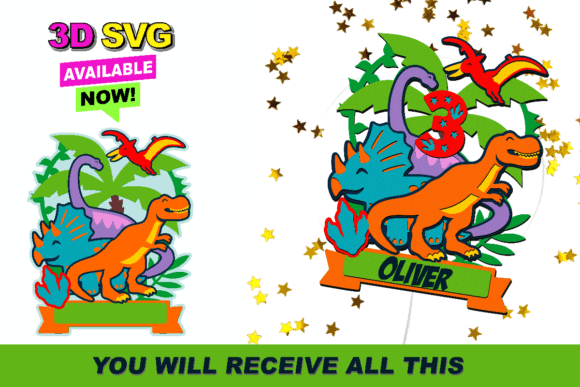
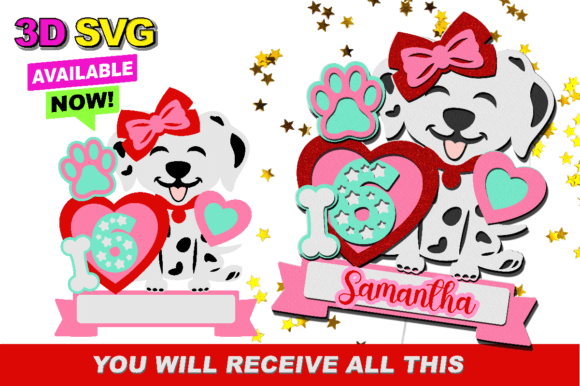
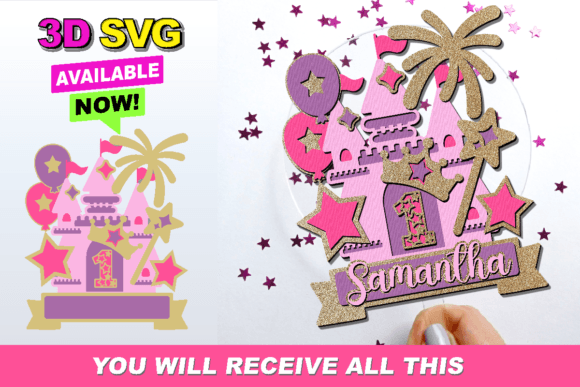
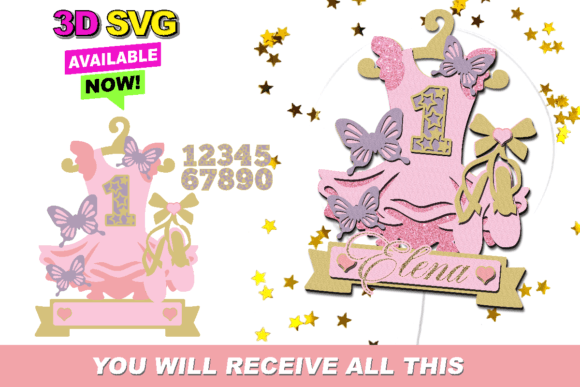
Furthermore, the "3D" aspect mentioned in many modern listings refers to the layering capability inherent in well-structured SVGs. These files are often organized with separate layers for different elements of the design. For instance, a name might be on one layer, while decorative flourishes or supporting structures are on others. This separation allows crafters to use multiple materials—such as combining glitter cardstock with matte acrylic or wood veneer—to create depth and visual interest. The ability to manipulate these layers independently within your software is what transforms a flat cutout into a dimensional piece of decor.
Software Compatibility and Workflow Considerations
One of the most significant factors in choosing a digital asset is compatibility with your workflow. The statement that this 3D SVG is easy to cut on Silhouette Studio and Cricut Design Space highlights a crucial reality: not all SVGs are optimized for every platform. Cricut Design Space, for example, has specific requirements for how layers are named and grouped to ensure they upload correctly. A well-prepared Cake Topper SVG will have clean paths, closed shapes, and appropriate layer naming conventions to streamline this process.
If you are using Silhouette Studio, particularly the Designer Edition or higher, you may have access to advanced features like offset tools and boolean operations that can further enhance the design. However, even basic users benefit from files that are pre-grouped logically. It is essential to verify that the file you purchase or download does not contain unnecessary anchor points or overlapping paths that could confuse the software. Testing a small section of the design before committing to a full cut can save both material and time.
For users operating other types of machines, such as laser cutters or plotter printers, the evaluation criteria shift slightly. Laser cutters require vectors but often need specific line colors to distinguish between cut lines and engrave areas. If you are using a different type of machine, please ensure you are able to use this type of file with your machine by checking if it supports standard SVG importation and if it can interpret the stroke weights and colors correctly. Some industrial machines prefer DXF or AI formats, so having access to multiple file types is a valuable bonus when sourcing resources.
Comparing SVGs to Alternative Formats and Methods
To make an informed decision, it is helpful to compare Cake Topper SVG files against other common options available to crafters.
- PNG and JPEG Files: These are suitable for printing but poor for cutting. They lack the scalability of vectors and require manual tracing in design software, which is time-consuming and often inaccurate. They are best reserved for projects where the image is printed onto paper rather than cut out.
- DXF Files: Drawing Exchange Format files are similar to SVGs in that they are vector-based. They are widely compatible with older software and certain industrial machines. However, they do not support color or layer grouping as intuitively as SVGs, making them less user-friendly for beginners using consumer-grade cutting machines.
- Pre-Made Physical Toppers: Buying finished products eliminates the work but removes creative control. You are limited to available stock, sizes, and fonts. Using a digital file allows for complete personalization, such as adjusting names, dates, or thematic elements to match a specific event perfectly.
The tradeoff with SVGs is the initial learning curve. Users must understand how to manipulate nodes, adjust cut settings, and manage layers. However, once these skills are acquired, the flexibility offered by vector files far outweighs the convenience of static alternatives for anyone producing multiple items or seeking unique designs.
Material Selection and Structural Integrity
A common oversight when working with a Cake Topper SVG is neglecting the physical properties of the chosen material. The design may look perfect on screen, but if the material is too flimsy, the topper may not stand upright. Cardstock is a popular choice for its ease of cutting and affordability, but it may require reinforcement. Acrylic and wood provide durability and a premium feel but demand sharper blades and slower cutting speeds.
When evaluating a 3D SVG design, consider the balance points. Does the design include a sturdy base or stick attachment area? Complex, intricate designs with thin connections may break during weeding or handling. Simpler, bolder designs often translate better to physical objects, especially when using brittle materials like acrylic. It is advisable to review the design’s thickness and connection points before cutting. If the SVG includes very fine details, ensure your machine’s blade is fresh and your material is securely matting to prevent shifting.
Decision Factors: When Is This the Right Choice?
Choosing to use a Cake Topper SVG is ideal for individuals who value customization and have access to cutting technology. It is particularly beneficial for:
- Small Business Owners: Who need to produce consistent, high-quality items for clients with varying requests.
- Event Planners: Who require themed decorations that match specific color palettes and motifs.
- Hobbyists: Who enjoy the process of creation and want to experiment with different materials and layering techniques.
Conversely, this approach may not be suitable if you need a topper immediately and do not own the necessary equipment. The time required for downloading, preparing, cutting, weeding, and assembling can exceed an hour for complex designs. Additionally, if you are uncomfortable with troubleshooting software issues or adjusting machine settings, the learning curve may be steep.
Final Thoughts on Digital Crafting Resources
The shift toward digital fabrication has empowered creators to produce professional-grade decor at home. A well-designed Cake Topper SVG serves as a versatile tool in this ecosystem, offering precision, scalability, and creative freedom. By understanding the technical requirements of your software and the physical limitations of your materials, you can leverage these files to create stunning, personalized centerpieces. Always verify compatibility with your specific machine, especially if it differs from the standard Cricut or Silhouette platforms, and take the time to test cuts on scrap material. This prudent approach ensures that your final product meets both aesthetic and structural standards, making your celebration truly memorable.